Advancing software for tour management and production
A workspace of its own for every date on a tour: questionnaire to the promoter, travel, travel party and the day sheet for show day.
A workspace of its own for every date on a tour: questionnaire to the promoter, travel, travel party and the day sheet for show day.
One questionnaire per show with up to 9 sections, in German or English. You enter the tour crew and travel to and from the show beforehand. You see whether the link was opened and what has already come back.
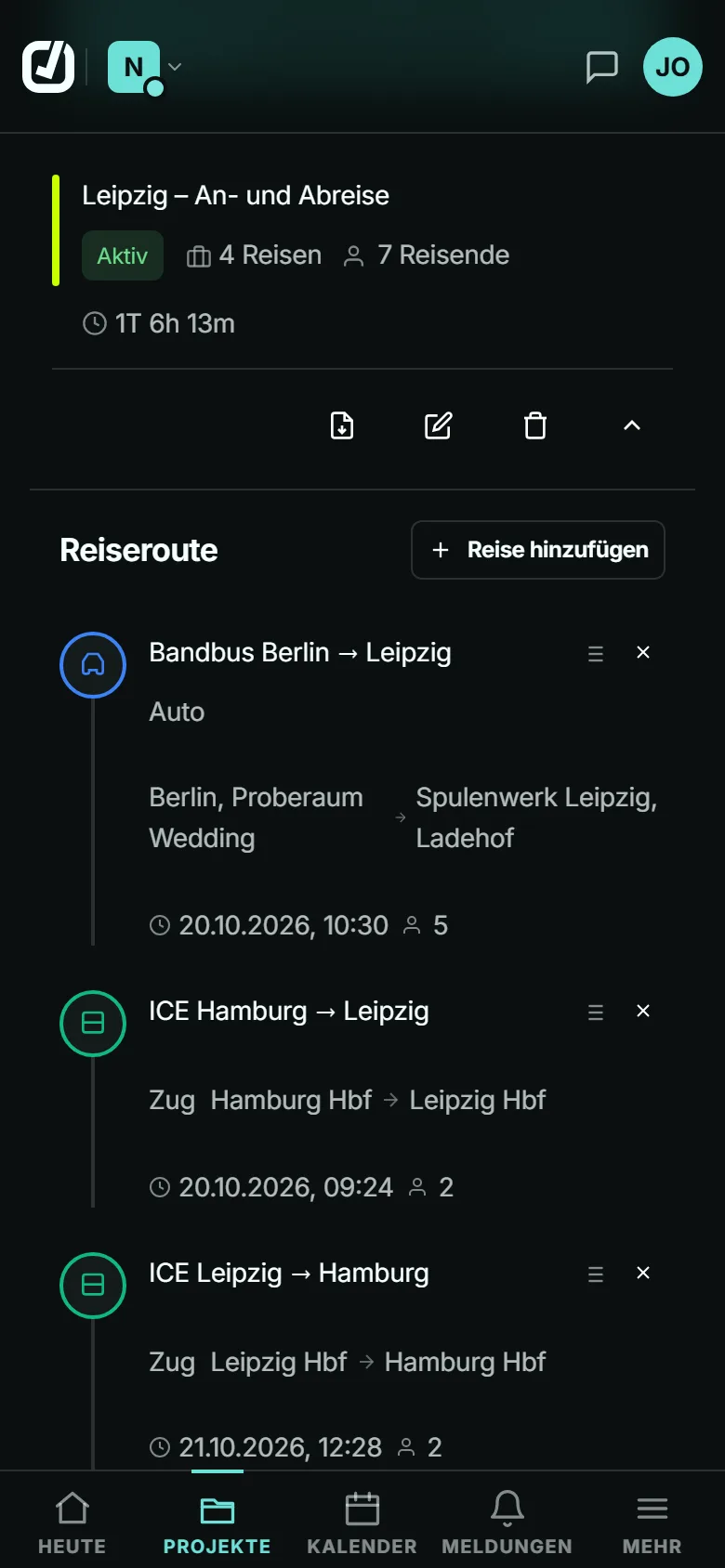
Car, train, flight and shuttle with the fields you need on the day: platform, gate, driver, meeting point. Several trips become a travel plan, also as a PDF.
Who travels, with role, phone and email. The list comes as a PDF, and in the day sheet it sits under contacts.
The day sheet shows what is missing and what is still open. Anything wrong you override as an admin of the show; the answer from the questionnaire stays underneath.
Show-day view with “Bildschirm an” (screen on), the PDF for the day and a share link with a PIN for venue and drivers. Anyone who subscribes to it gets an email when something changes.
3 templates with deadlines relative to show day, for example for the show day itself. A reminder comes 24 hours before each deadline.
If your agency already works with Advancing Buddy, it invites you into its organisation and puts you on the shows’ teams.
Or you set up your own organisation and start with a 30-day trial without a card.
On your own, Basic with 20 active shows is enough. If your crew works along in their own accounts, you have more than 20 active shows or you want the calendar subscription, take Standard.
Archived shows don’t count.
Compare plansNo. You create each show on its own. Every show takes over your artists’ requirements automatically, and you apply task templates per show.
The app stores no show data on the device. Download the PDF beforehand; you then have it without a connection too.
Only people who requested them on the share page and confirmed by email, at most every 6 hours.
No. Drivers get a share link with a PIN and see only the sections you share.