Skip to content

Advancing for tours and festivals

The promoter fills in your questionnaire through a link with a PIN, without an account. Their answers and your travel details become the day sheet your crew works from on show day.

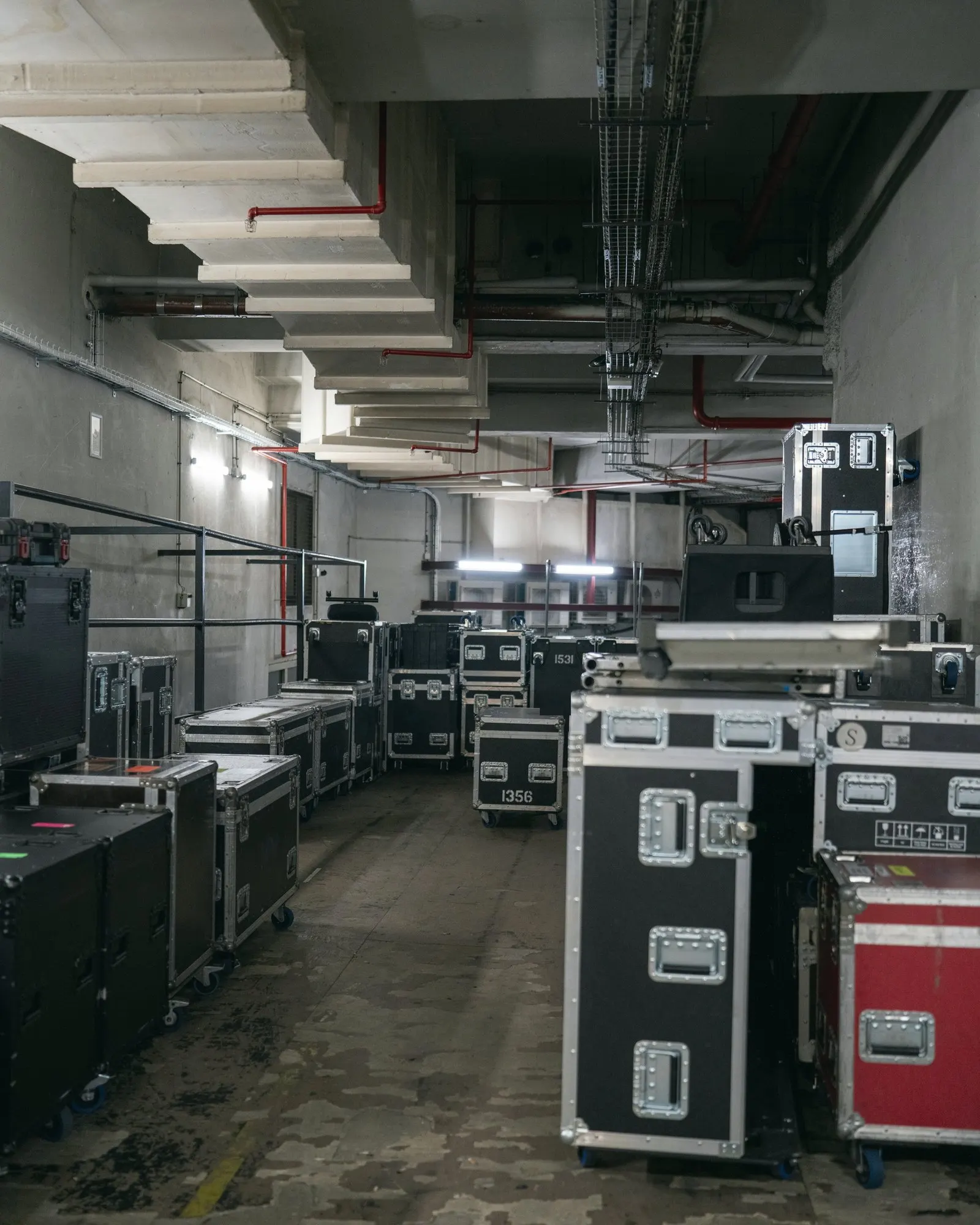
A basement corridor full of flight cases on wheels, with a narrow aisle between them
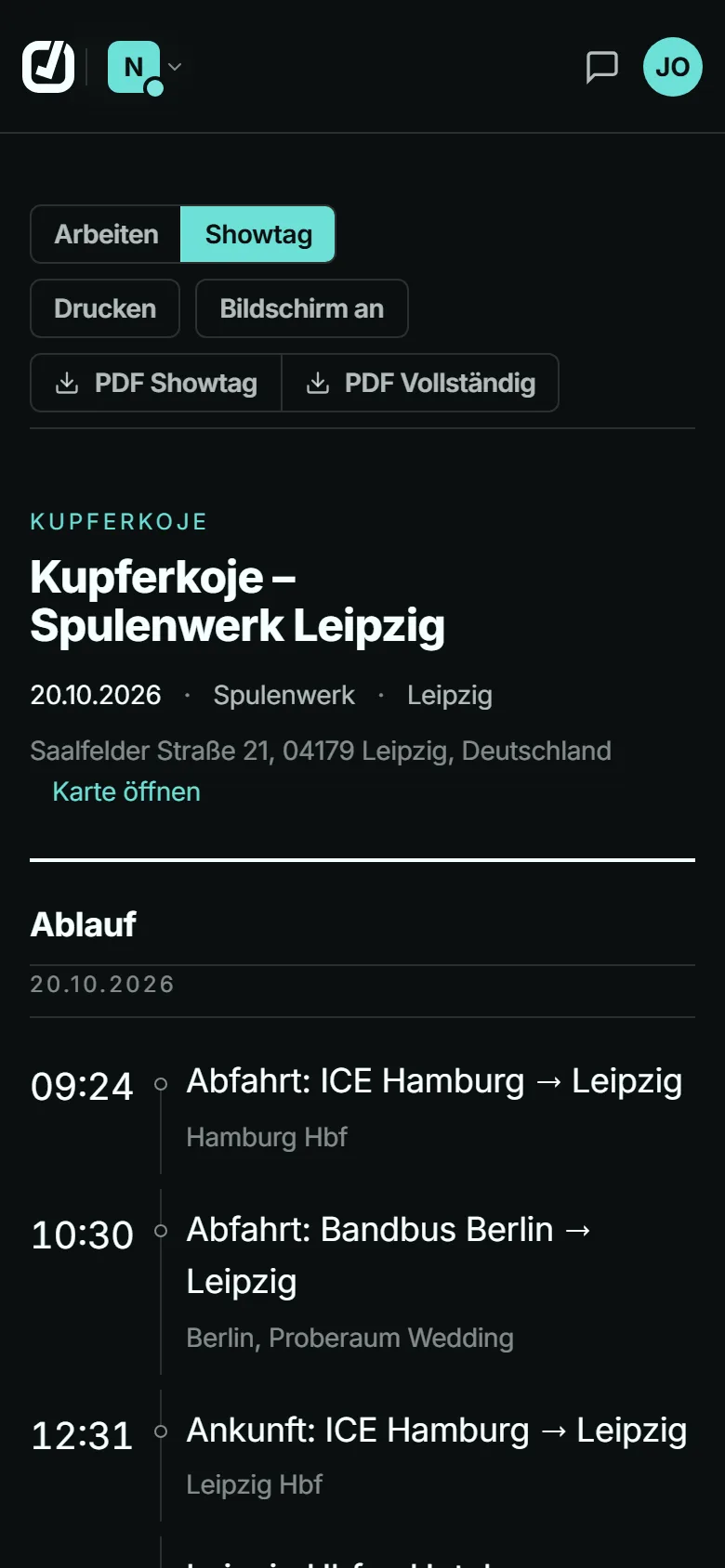
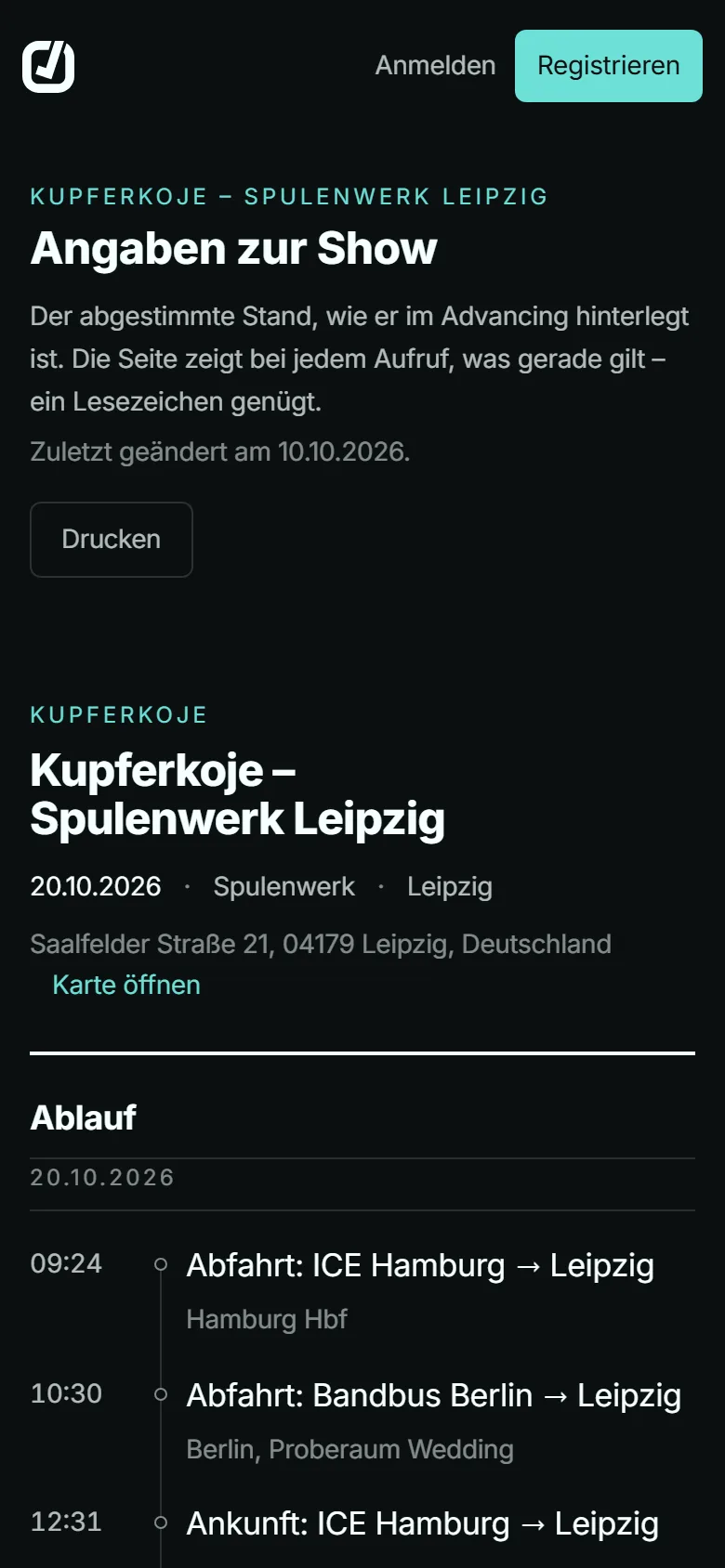
Show-day view of the app on a phone, German interface: show, date, venue with address and the start of the timeline
Show-day view in the app, sample data

What the promoter enters appears in the day sheet

You pick the sections of the questionnaire this show needs. Advancing Buddy slots whatever comes back into the schedule for show day.

  1. Schedule “Event-Infos” and “Technical” in the questionnaire

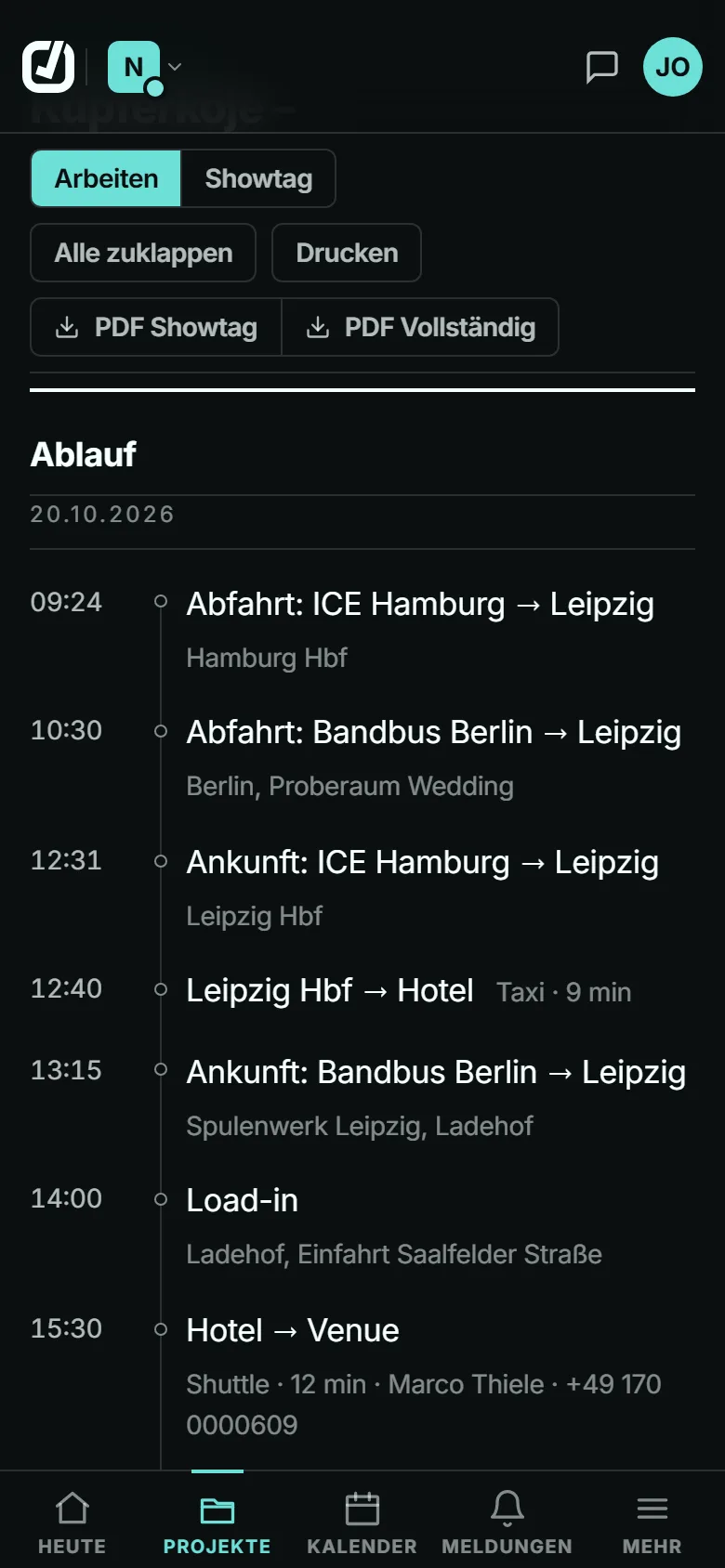
    The promoter enters set times and the running order, plus the soundcheck. The day sheet puts them on one timeline with departure, arrival and transfers. A set at 00:30 comes after the one at 23:00.

    Day sheet in the app, German interface: show-day timeline with departures, arrivals and transfers
  2. Hotel Hotel and rooming list

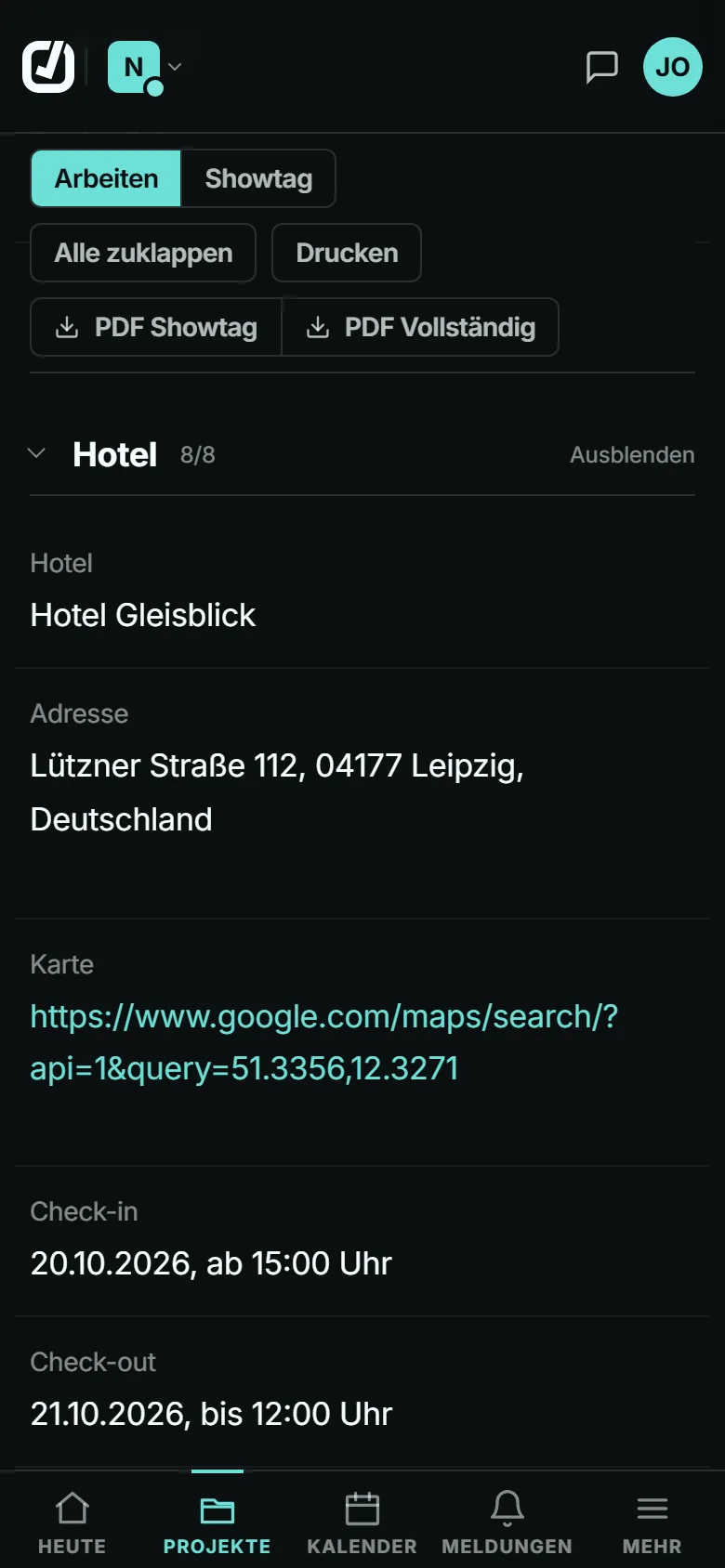
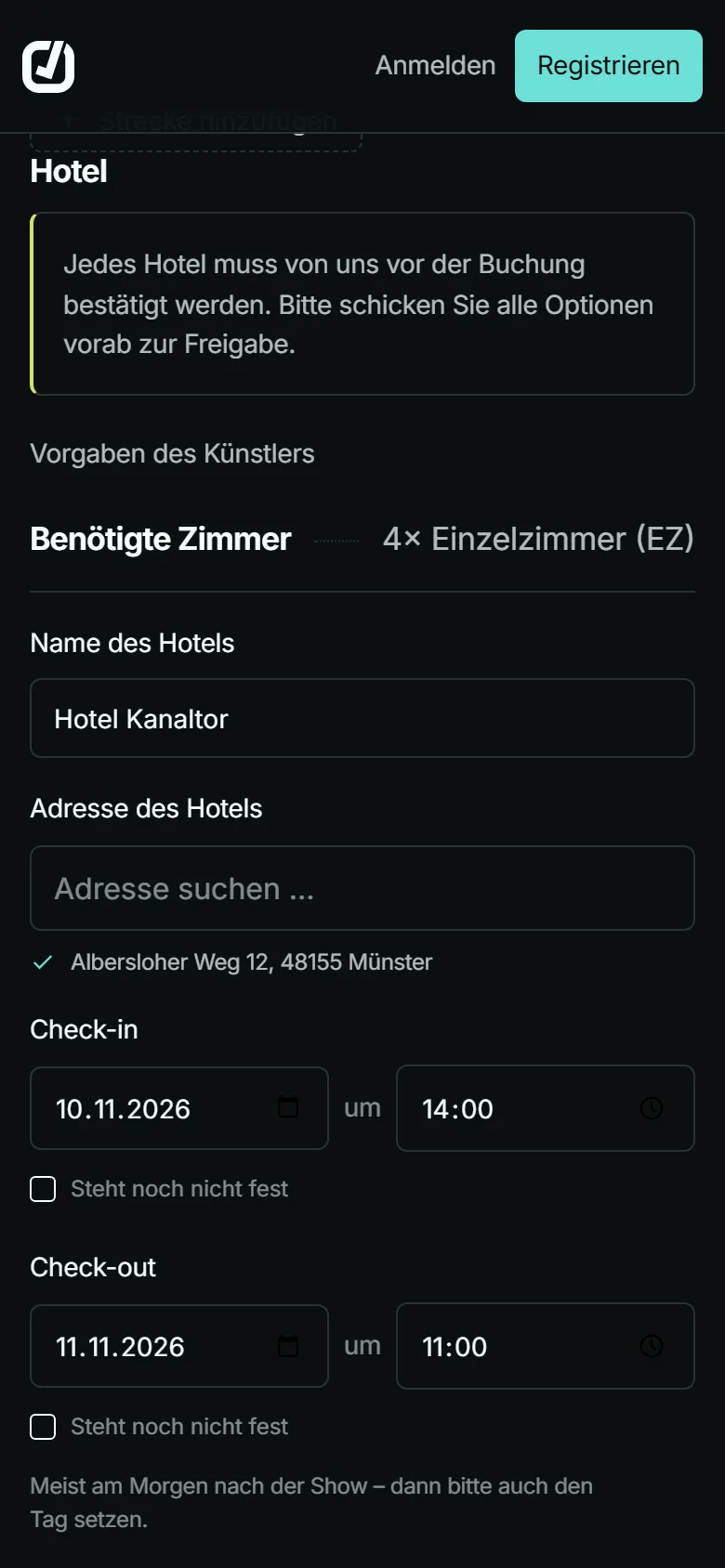
    Hotel, address, check-in and check-out, plus the rooming list with room type and reservation number. Anything the promoter marks as open shows up in the day sheet as “steht noch nicht fest” (not confirmed yet).

    Day sheet in the app, German interface: hotel section with address, map link, check-in and check-out
  3. Ground transport “Ground-Transfers” and “Shuttle” in the questionnaire

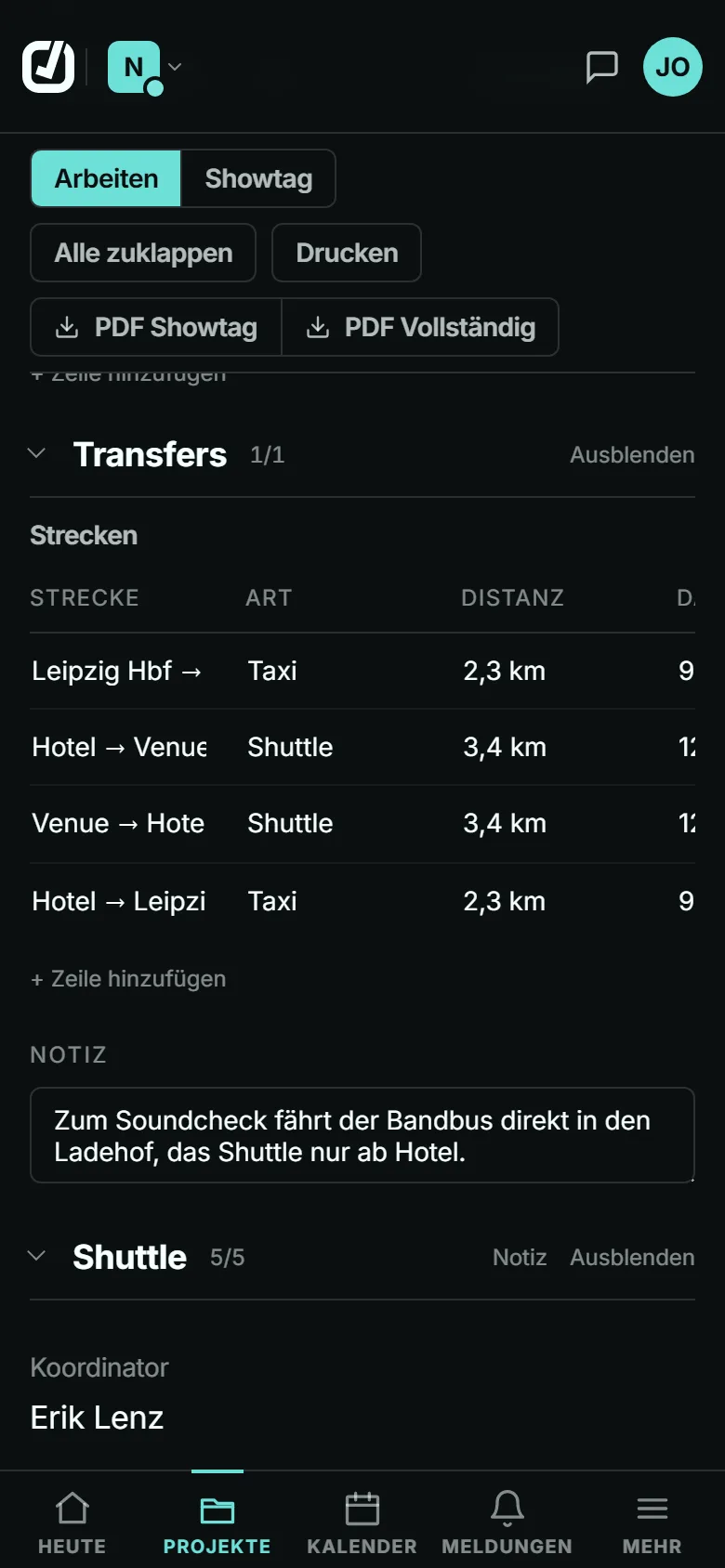
    Every leg with type, distance, duration, pick-up and drop-off, for example from the station to the hotel and from the hotel to the venue. Driver and phone number sit in the same row.

    Day sheet in the app, German interface: table of transfers with route, type and distance, the shuttle below
  4. Technical Technical and rider

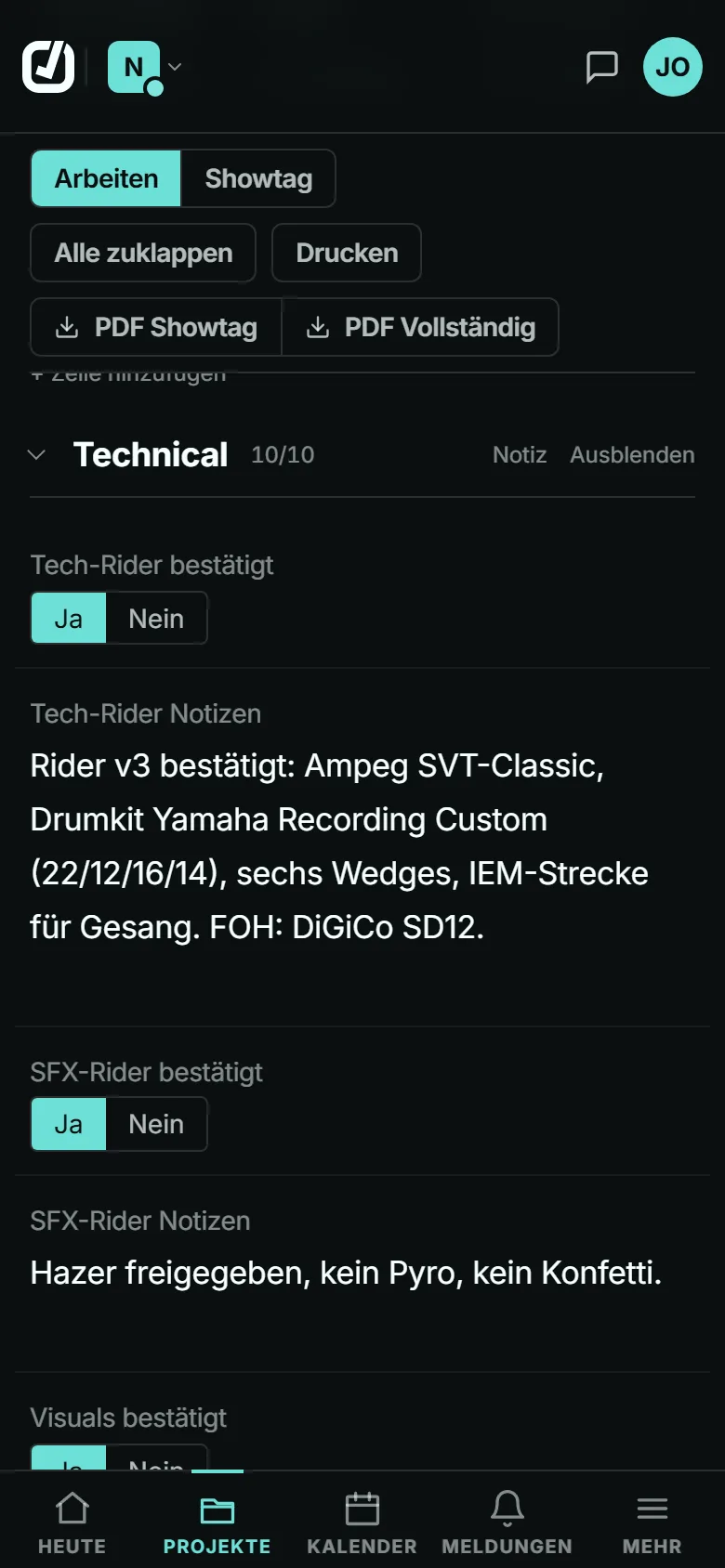
    Whether the tech and SFX riders are confirmed, whether a soundcheck is possible, and what was agreed for visuals and hospitality. The promoter downloads the rider files directly from the questionnaire.

    Day sheet in the app, German interface: technical section with confirmed tech and SFX riders and notes
  5. Contacts Contacts on site

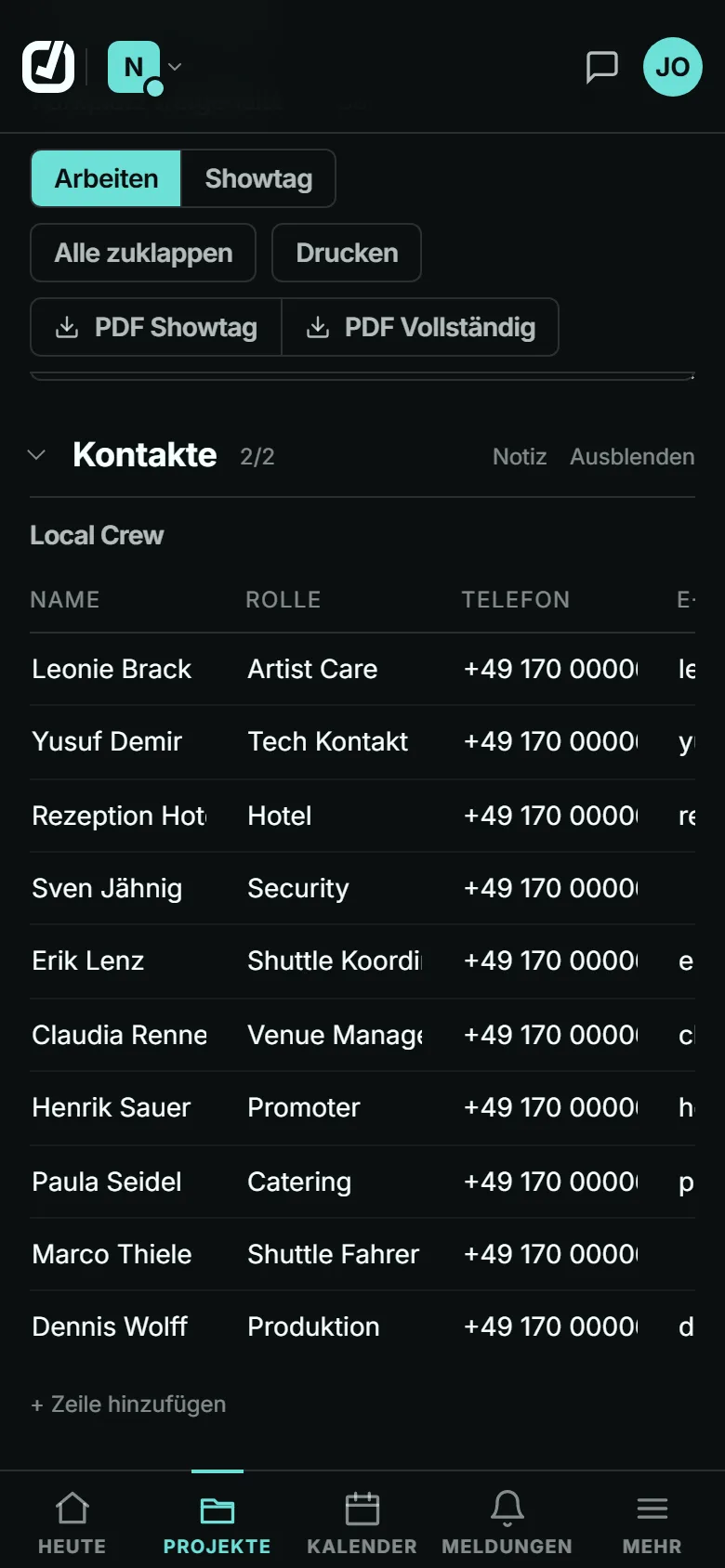
    Promoter, artist care, technical and hotel contacts on site, with phone and email. If not a single phone number is listed, the day sheet flags that as a gap, just like missing required details.

    Day sheet in the app, German interface: local crew with names, roles and phone numbers

If a detail is wrong, an admin of the show overrides it in the day sheet. It goes out as a PDF, either the show-day sheet or the full version, or as a share link for the venue, drivers and crew.

The promoter doesn’t need an account

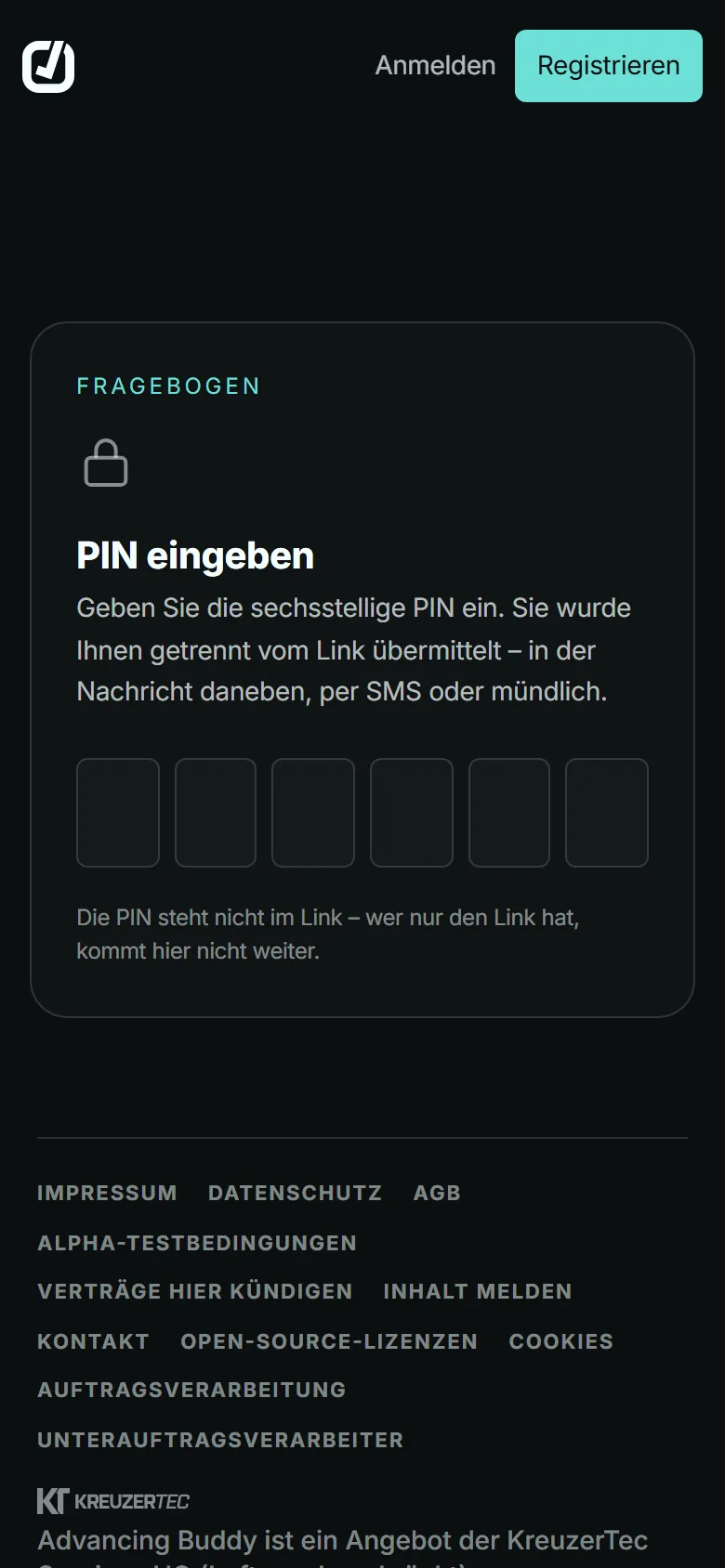
The promoter gets a link and a 6-digit PIN, which you send separately. They see only the sections you selected, plus your artists’ requirements and riders. They can save along the way and submit once at the end.

The “Links” tab shows where each questionnaire stands

  • Active
  • Visited
  • Partly filled in
  • Completed
  • Expired

When the promoter saves a draft or submits, the admins of the show get a notification.

What promoters see
Questionnaire on a phone, German interface: entering the six-digit PIN that arrives separately from the link
Questionnaire on a phone, German interface: hotel section with the artist’s room requirements, check-in and check-out
A sign taped to a door with gaffer tape: Stage Door, Band and Crew only

On show day everyone has the same sheet

The show-day view puts the day sheet on screen in large type. With the “Bildschirm an” (screen on) button, the display stays on as long as the sheet is open. The PDF comes in two versions: the show-day sheet and the full document with the open items.

Venue, drivers and crew without an account get a share link with a PIN. It shows only the sections you choose; names and phone numbers stay hidden until you switch them on. Anyone who subscribes to changes and confirms by email gets a summary at most every 6 hours.

Share link on a phone, German interface: show details with venue, address and timeline, read only

Who sees what

If you are not on a show’s team, you don’t see it; the organisation’s owners and administrators see every show. Fees are visible only to admins and managers, and an artist account sees only its own.

Role View showEdit showFeesChat, tasks, filesSubscription and invoices
Organisation owner all showsall showsall showsall showsyes
Organisation administrator all showsall showsall showsall showsno
Admin of the show own showsown showsown showsown showsno
Manager own showsnoown showsown showsno
Rest of the team own showsnonoown showsno
Artist account own performancesnoown fee onlynono
Promoter the questionnaire onlynononono
Share link recipient shared sectionsnononono

“Own shows” are the ones whose team you are on. Any member of the organisation can create a show and then becomes its admin.

What else a show needs

Team
11 roles, from tour manager to driver. Anyone not on the team doesn’t see the show, except the organisation’s leadership.
Tasks
3 templates with 20 tasks between them, with deadlines counted from show day. A reminder comes 24 hours before a deadline.
Files
15 categories from contract to rider, with tags. A virus scanner checks every file, and if the scanner can’t be reached, Advancing Buddy accepts none.
Chat
One chat per show. With @ you mention individual people or a whole role on the team, and “Alle Chats” (all chats) lets you switch between shows.
Travel
Car, train, flight and shuttle, with flight number, platform or driver depending on the type. From these you put together a travel plan, also as a PDF.
Calendar
Month, week and agenda views in the app. From Standard upwards you subscribe to shows, tasks and travel in Google, Outlook or Apple, one way.
Knowledge
Contacts, venues and hotels from every show you are allowed to see, under “Knowledge” in the app. Ctrl+K or Cmd+K searches from anywhere.
Phone
You can install Advancing Buddy on your phone. On Android you share files straight into a show; the app deliberately keeps no show data on the device.
Artist accounts
Artists see their performances with times, hotel and their own fee, plus the day sheet of the shows whose team they are on. Chat, tasks and files stay with the team.
All features and their limits

Who Advancing Buddy is built for

  • A hand on the faders of a mixing desk, blurred coloured level meters behind it

    Booking agencies

    One roster for all your artists, one fee per artist and show, and permissions by role on the team.

  • An open, lit trailer with its ramp down in a car park at night

    Tour management

    Questionnaire, travel and day sheet for every date, each show with its own workspace.

  • A person seen from behind, backlit on a stage, spotlights in haze

    Artists

    Your own shows with times, hotel and fee on one page, by invitation from your agency or your team.

  • Aluminium truss towers with chain hoists hanging down against a cloudy sky

    Promoters

    One link, one PIN, no account and no cost.

Three plans, billed monthly

You test the first 30 days without a card. After that you pay by card, all prices excluding VAT, for businesses only.

Compare plans
Basic
€29
per month, excl. VAT
Standard
€49
per month, excl. VAT
Enterprise
€199
per month, excl. VAT

Common questions

Is the app available in English?

Yes. The app, the questionnaire, show info and PDFs are available in German and English, as is this website. Everyone picks their language in the settings.

Does the promoter need an account?

No. They need the link and the PIN, which you give them separately.

Where is the data stored?

In a Hetzner data centre in Falkenstein, in the Vogtland region of Germany. Backups run daily, encrypted, in the same provider’s data centre in Helsinki, and are kept for 14 days.

What happens after the 30 days?

Without a plan, the organisation is locked; the content stays, and the owner can still export it. Before we delete a locked organisation, we announce it by email at least 60 days in advance. If you book a plan during that time, the deletion is cancelled.

Is there an API or a calendar sync?

There is no API. From Standard upwards you add the calendar to Google, Outlook or Apple as a subscription, one way.

How do I log in?

With email and password, or with your Google account. You can switch on a passkey and two-factor login with an authenticator app in the settings.

Is Advancing Buddy finished?

No. The app is in alpha: it runs, but features can still change. So back up important data yourself as well, for example with the organisation export.

Try it with your next show

Create a show, send the promoter the questionnaire and look at the day sheet that comes out of it. The first 30 days cost nothing.

Create an account Request access