Advancing questionnaire for promoters, no account needed
A show’s team sends you a link and, separately, a 6-digit PIN. You fill in the questionnaire in your browser, on a computer or a phone, and pay nothing.
A show’s team sends you a link and, separately, a 6-digit PIN. You fill in the questionnaire in your browser, on a computer or a phone, and pay nothing.

The team sends you the link by email from the app or some other way. The PIN is neither in the link nor in that email; the team passes it on separately, for example by text message or on the phone.
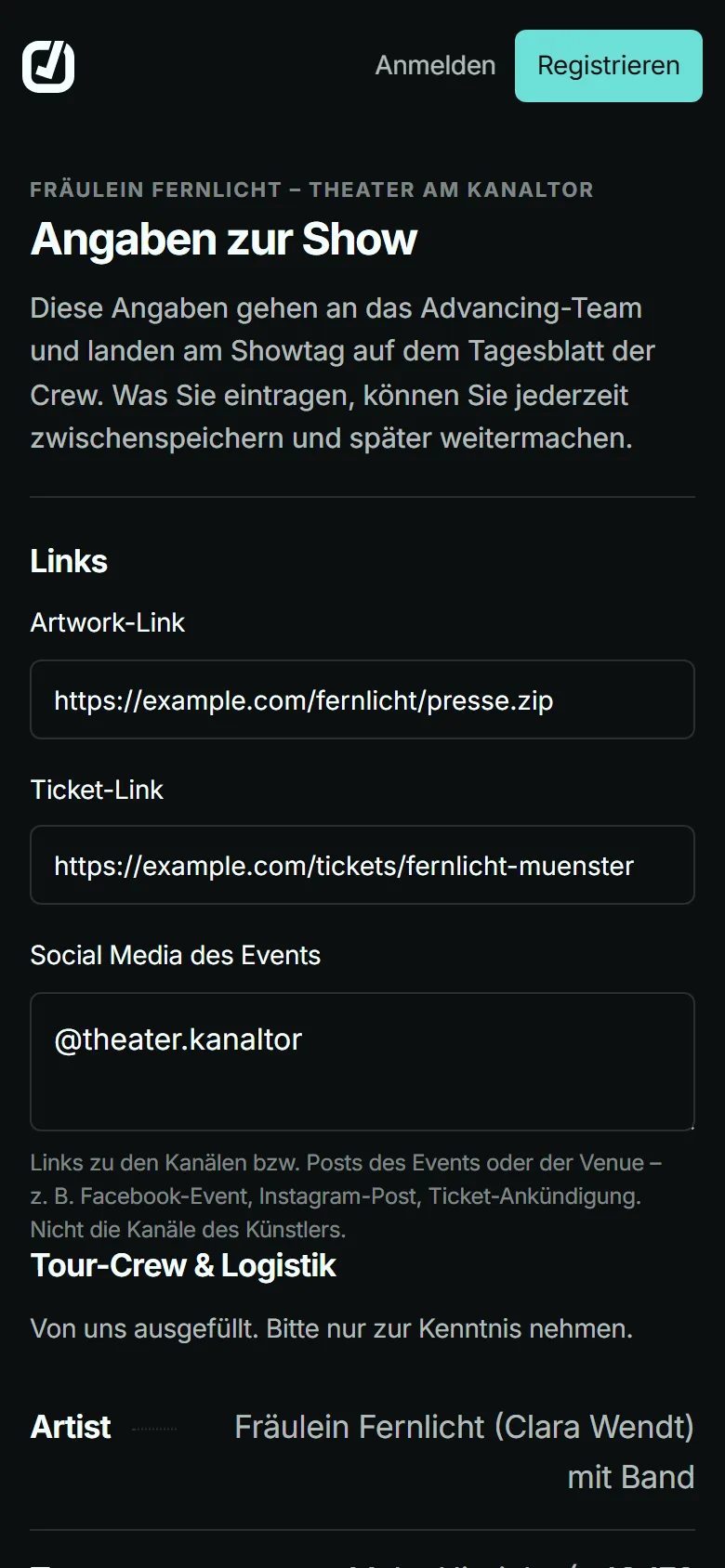
You see only the sections the team has chosen for this show. What the team already knows is filled in beforehand, for example the tour crew and travel to and from the show.
The artists’ requirements appear in the matching section, for example the rooms they need under hotel. You download the riders the team releases in the “Technical & Rider” section.
You don’t have to know everything at once. If you save along the way, the team sees what is already there. You mark a time that is still open with “Steht noch nicht fest” (not confirmed yet).
At the end you submit once, and then the questionnaire is closed. If something changes later, you tell the team, and they add the change in the day sheet.
Up to 9 sections, in this order. The team decides which of them you see.
You find the venue and hotel addresses with the OpenStreetMap address search.
Fees, chat, tasks and the team’s files stay in the project; of the files you see only the riders the team releases for this show. You don’t see other shows.
The questionnaire is available in English and German; the team picks the language when sending it. It also decides whether and when the link expires.
No. You need neither an account nor a plan.
Then ask the team that sent you the link. They see the PIN in the app and can give it to you again.
After 10 attempts within an hour, the link accepts no more PINs until the hour is up. After that, the correct PIN works again.
Not in the questionnaire. Let the team know, and they change the detail in the day sheet.
Then it has expired, the team has switched it off, or the questionnaire has already been submitted. The page tells you which it is; you get a new link from the team.
The organisation that sent you the link; it is responsible for them. The notice about this is in the questionnaire, right before you submit.