Every feature of the advancing software
Every show in the app has 12 tabs in 5 groups: Overview, People, Schedule, Work and Chat. Where a feature has a limit, the limit is stated next to it.
Every show in the app has 12 tabs in 5 groups: Overview, People, Schedule, Work and Chat. Where a feature has a limit, the limit is stated next to it.
The first tab of every show, and the list of all shows.
Every show has a type, venue, address, date, status and its own logo. In the list you search by event, artist, venue, city or promoter and filter by type, period and status.
Limit: There is no tour object. A tour is made up of individual shows.
You archive past shows; archived shows stay readable and no longer count towards your plan’s limit.
Limit: Only an admin of the show can archive it.
7 items, from the team to the tasks, which the app pre-fills from the show’s data. From these it calculates progress as a percentage.
Limit: Only admins of the show can tick items off.
The “Today” home page shows your open tasks across all shows, with deadline and priority, and how many days are left until the next show.
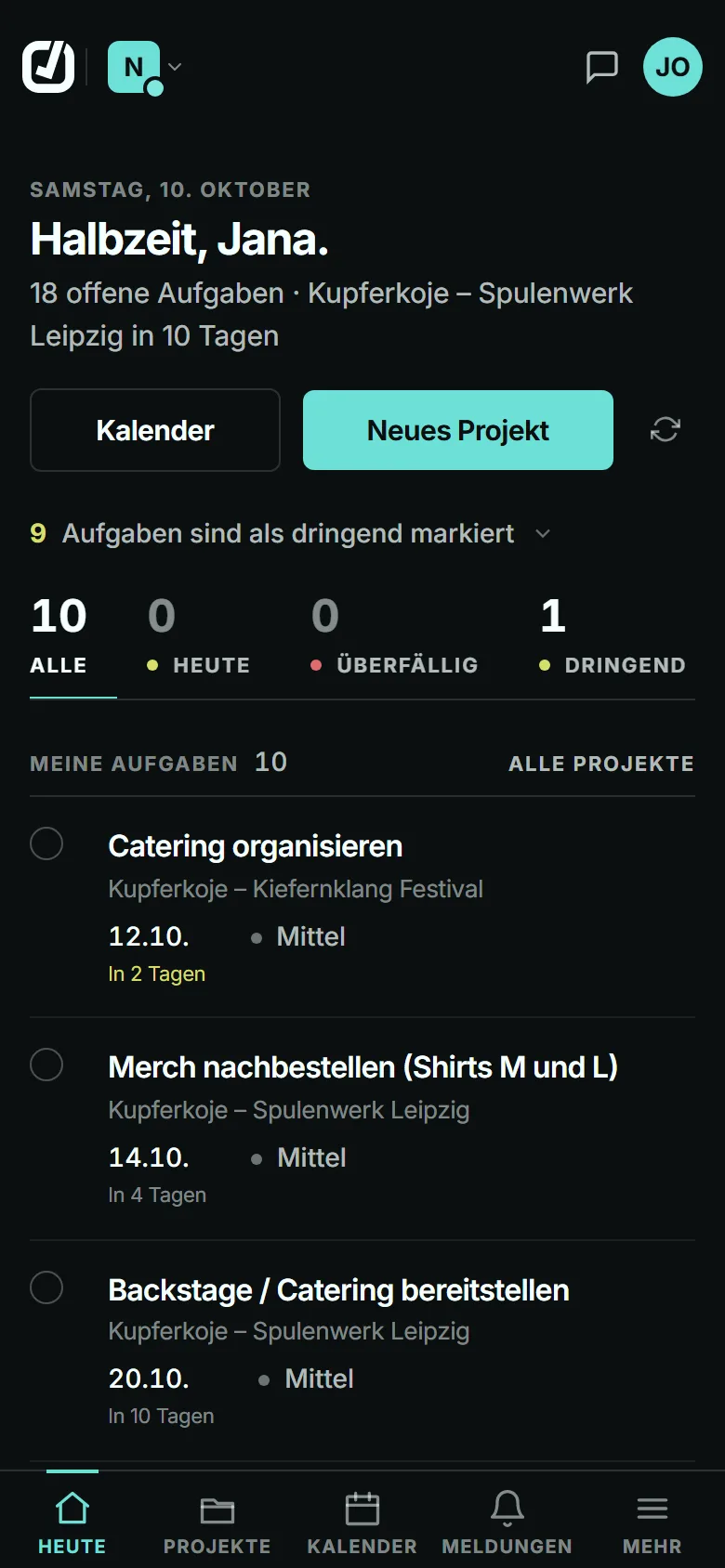
Four tabs for everyone involved in a show: team, artists, contacts and travel party.
Every team member has one of 11 roles, from admin to crew. Admins edit the show, managers also set fees, and everyone else reads along and works in tasks, files and chat.
Limit: Anyone not on the team doesn’t see the show. The organisation’s owners and administrators see every show.
Every artist has a record with contact details, links, files and default requirements for rooms, hotel amenities and nationalities. Per show you adjust requirements and riders; in the questionnaire the promoter sees what applies to this show.
Limit: Owners and administrators maintain the record, an admin of the show the requirements for that show.
One fee per artist and show, with amount, currency and note, in euros, Swiss francs, pounds or dollars.
Limit: Only admins and managers can see and set fees. There is no settlement and no invoicing.
The show’s contacts, each with one of 17 roles from promoter to backline, with phone, email and company. In the day sheet they appear together with the contacts from the questionnaire.
Everyone who actually travels, with role, phone and email. If you choose, booked artists are added when you book them, and the list is available as a PDF.
Limit: Only admins of the show can edit it.
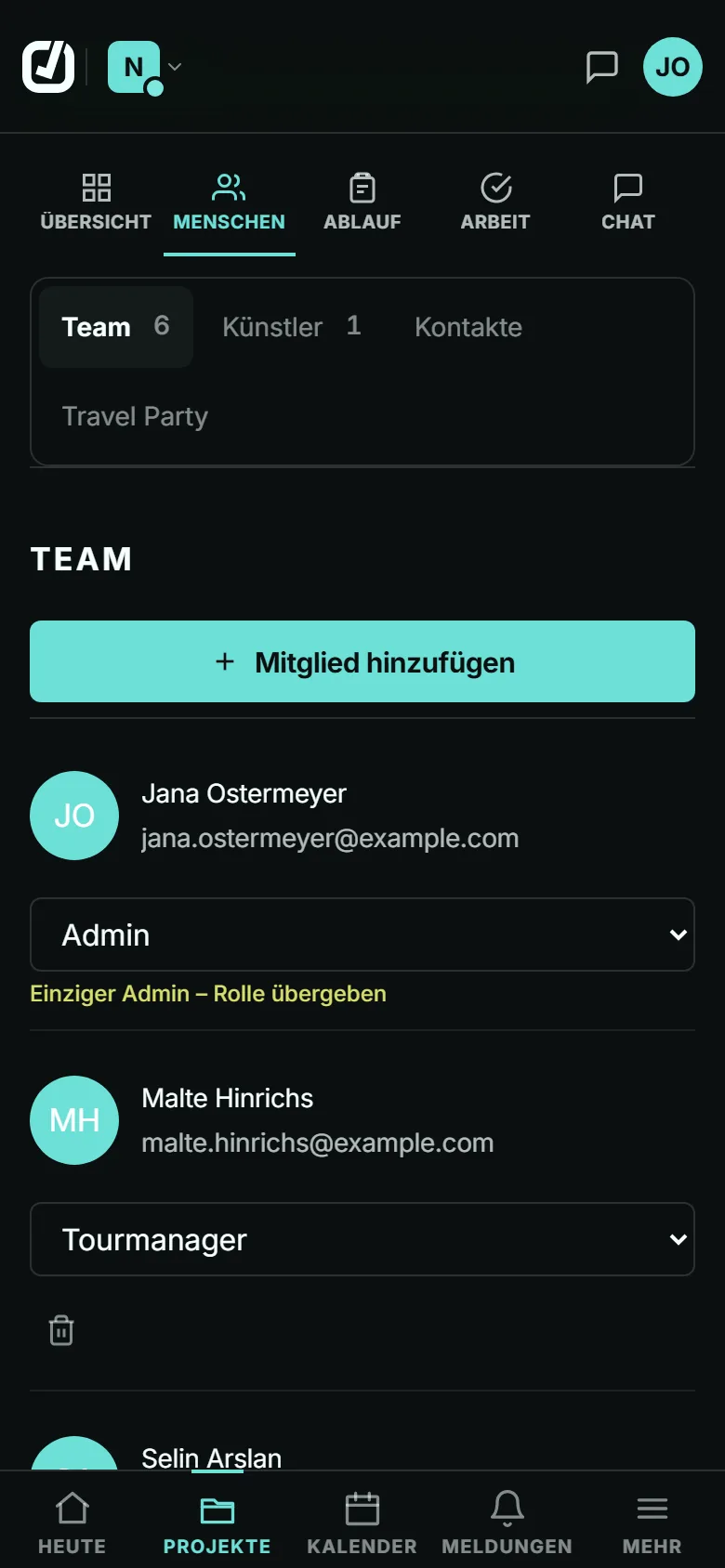
A show’s day sheet, its trips and its travel plan.
The day sheet is built from the promoter’s answers, the show data, the travel, the travel party and the contacts. The day’s timeline sits at the top, with venue, hotel, transfers, technical and contacts below. In the app the tab is called “Show Itin”.
Limit: Only admins of the show can override values, add notes and hide sections.
The day sheet counts missing required details and marks what the promoter reported as open. If an answer contradicts the show data, the field is flagged.
You can override any value in the day sheet, and the original entry stays underneath. If you reset it, the answer from the questionnaire applies again.
Limit: Admins of the show only.
In “Show day” mode the sheet is shown large, and with “Screen on” the display stays on. The PDF comes as the show-day sheet or as the full document with the open items.
Limit: “Bildschirm an” only appears in browsers that support it.
Car, train, flight, shuttle or other, each with its own fields: flight number, terminal and gate, train and platform, driver and meeting point. Plus confirmation number, cost, status and who is travelling.
Limit: Advancing Buddy doesn’t book anything. You enter booking numbers yourself.
You combine several trips into a travel plan and put them in order by dragging. The plan is available as a PDF.
Limit: Only admins of the show can put it together.
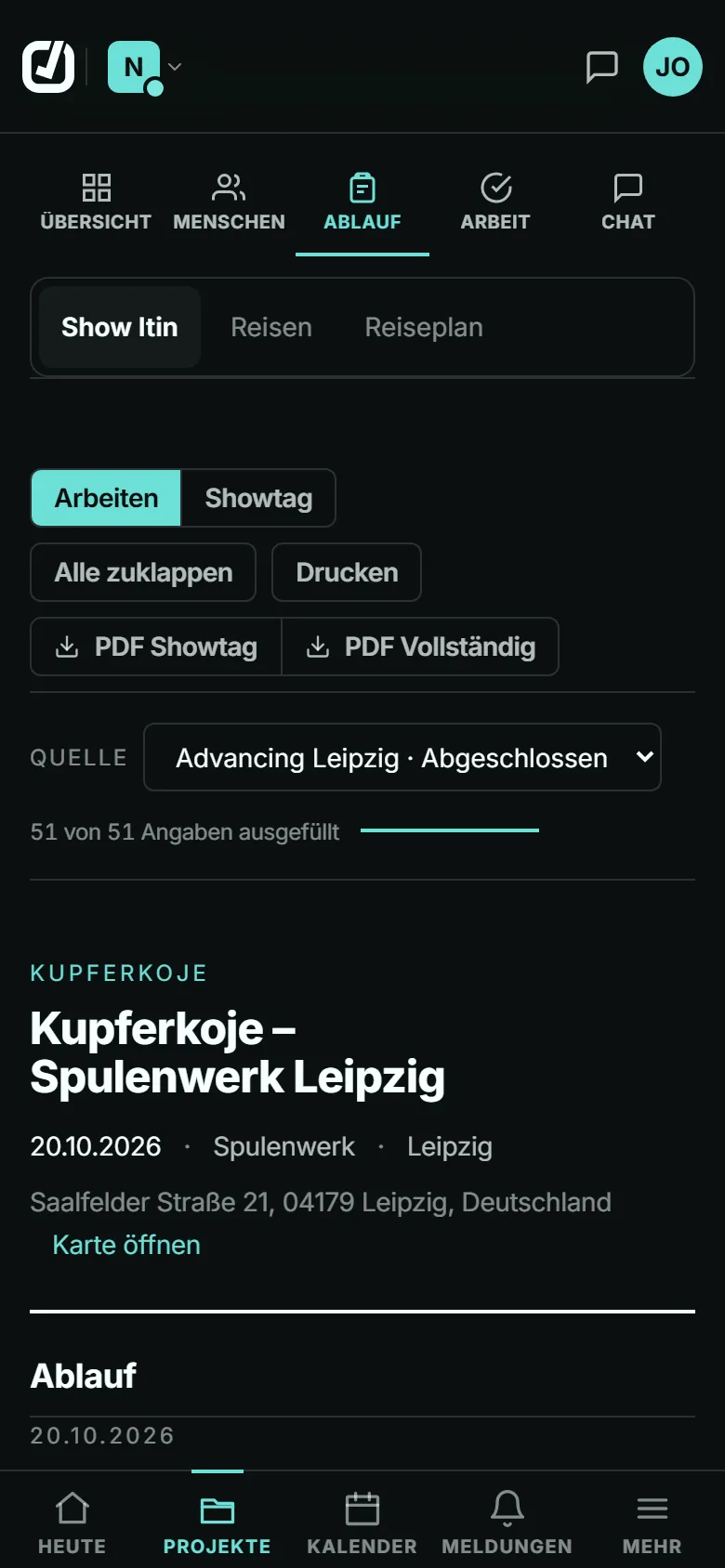
Tasks, files and the links you send out.
Tasks with deadline, priority, tags and assignees; you can tag individual people or whole roles. 24 hours before the deadline and when it is reached, a notification goes out.
3 built-in templates with 20 tasks between them, from event planning to wrap-up. Deadlines are set relative to show day, and when you apply a template, assigned roles go to the matching people on the team.
Limit: An admin of the show can apply them; only owners and administrators can create custom templates. How many custom templates you can have depends on your plan.
15 categories from contract to press, with tags; when you upload, you can tag people or roles who then get notified. A virus scanner checks every file, and only files it has cleared can be downloaded.
Limit: At most 10 MB per photo, 100 MB per press or marketing file, 50 MB for everything else. Your plan’s storage limit applies as well.
The “Links” tab keeps a show’s questionnaires and share links together, with status, views per day and the PIN to pass on. A sudden spike in views shows that a link has been passed on.
Up to 9 sections, plus 2 blocks you fill in beforehand. The promoter needs no account, only the link and PIN; they can save drafts and submit once.
Limit: The questionnaire is available in German and English. It expires after 1 to 365 days or never, as you set it.
A read-only link to the day sheet sections you choose, with a PIN and, if you want, an expiry date. Names and phone numbers stay hidden until you switch them on; booking numbers, reservation numbers and nationalities never go out.
Limit: Change emails go only to confirmed subscribers, at most every 6 hours. If a link has been passed on, you replace it with a new one.
Every show has its own chat. With @ you mention a person or a whole role on the team, and new messages appear without reloading.
Limit: No attachments, no editing or deleting of messages, and no channel for the whole organisation.
With “Alle Chats” (all chats) you switch between the chats of your shows without opening the show.
Limit: Artist accounts have no chat.
What goes beyond a single show.
An account can belong to several organisations and switch between them. Each has its own shows, its own members and its own plan.
Limit: At most 3 organisations of your own per account.
“Owner”, “Administrator”, “Member” and “Artist”. Owners and administrators see all shows and maintain the roster; members see the shows whose team they are on.
Limit: Subscription and invoices are handled by the owner only.
New members join through an invitation link with a PIN, valid for minutes, hours or days and, if you like, with a maximum number of uses. The app can send the link by email, but never the PIN.
Limit: Every new account takes up a seat on your plan.
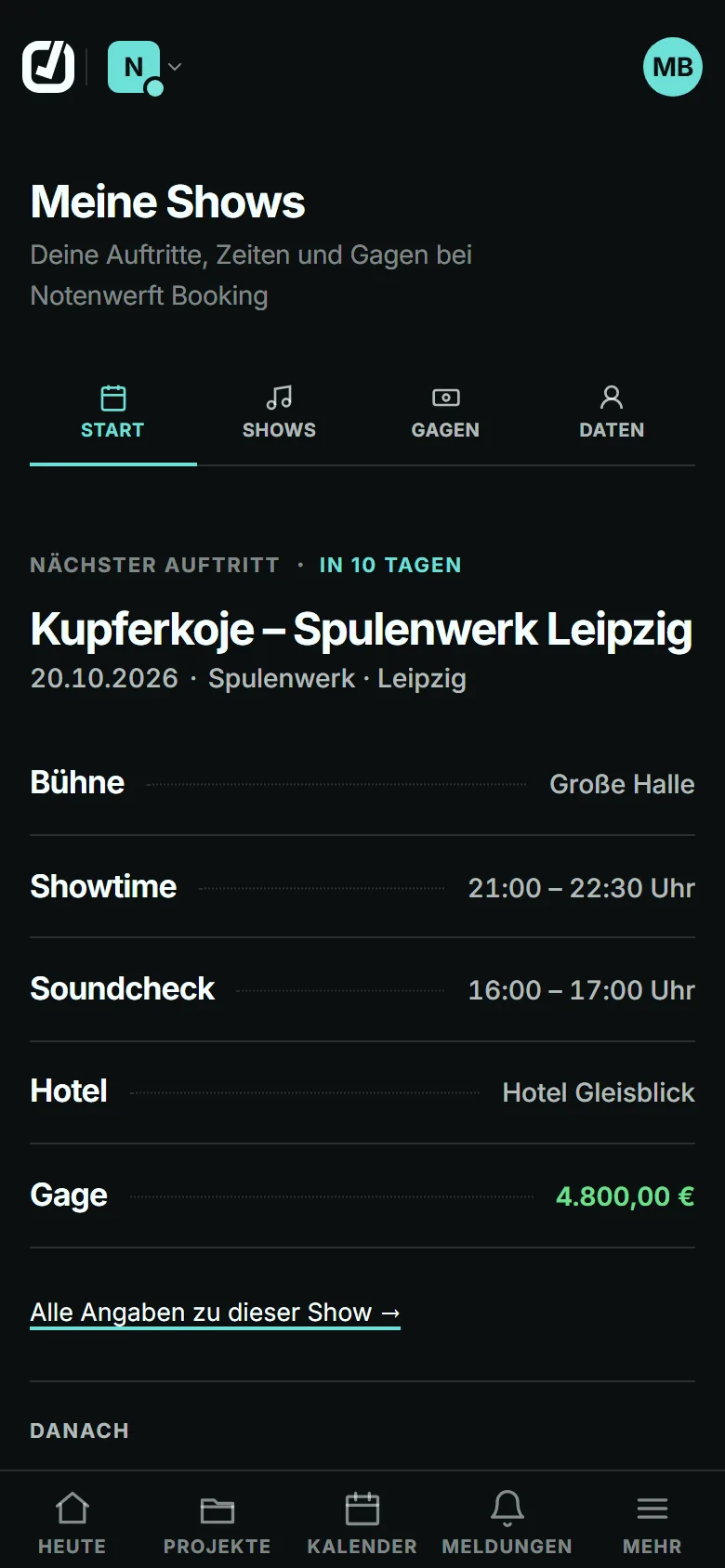
An artist gets their own access through a single-use link with a PIN. Under “My shows” they see their performances with times, venue, hotel and their own fee, plus the details stored about them. On a show’s team they also see its day sheet.
Limit: No team chat, tasks or files. The artist can’t change anything, and their account takes up a seat.
“Knowledge” collects contacts, venues and hotels from all shows, with notes, tags and a star. Ctrl+K or Cmd+K searches contacts, shows, artists, documents and questionnaires from anywhere.
Limit: You only find what you are allowed to see in the shows.
An overview lists every questionnaire and every share link across all shows, with views and the number of links that show personal data.
All content as one JSON file, with members, shows, tasks, artists, fees and knowledge. Every file is listed with a download link valid for 7 days, and the export works even when the organisation is locked.
Limit: Owner only.
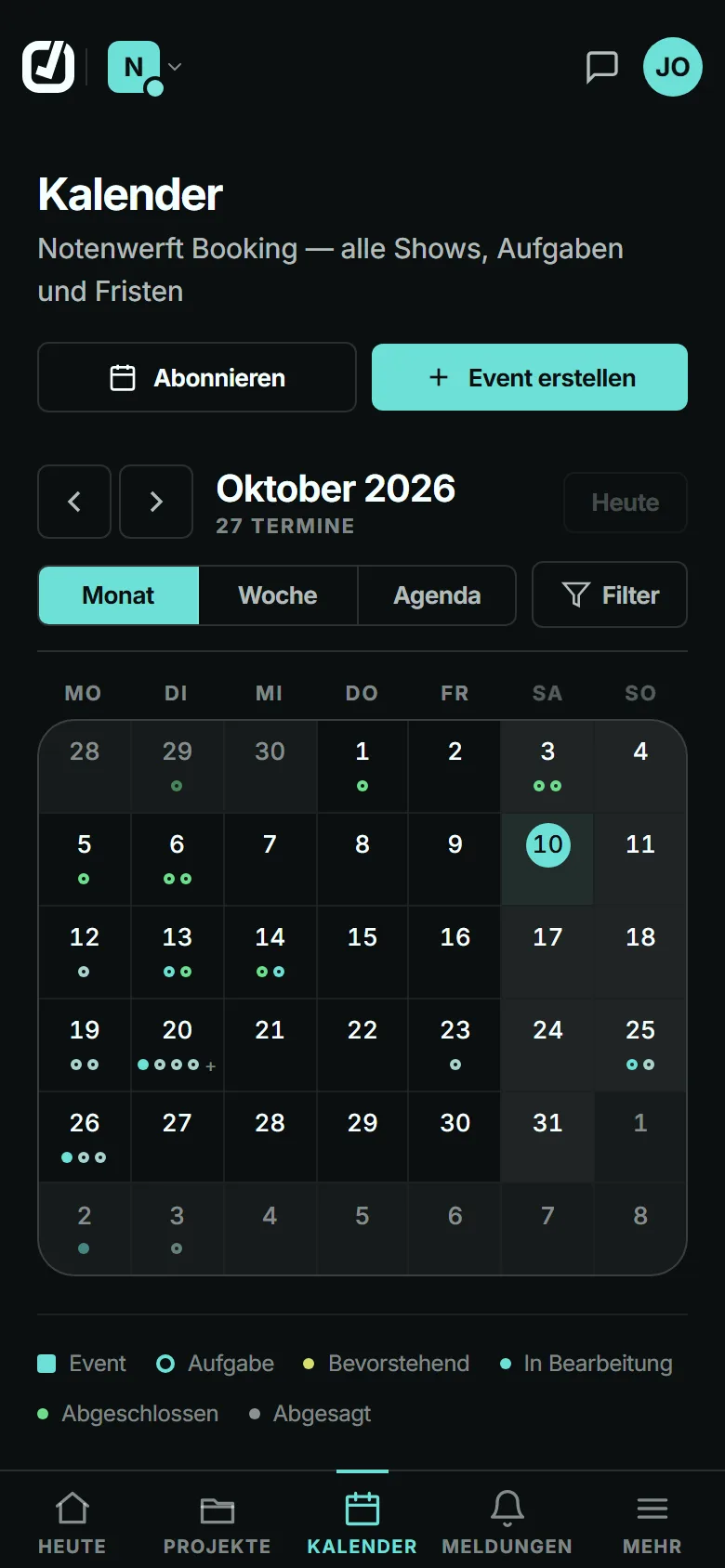
Month, week and agenda with all shows and tasks you are allowed to see. Clicking a day shows what is on.
An .ics link brings shows, tasks with deadlines and travel into Google, Outlook or Apple. You choose what goes in, for example only your own tasks, and renew or delete the link at any time.
Limit: One way only, and not in Basic. Google picks up new entries only after a few hours.
You can add Advancing Buddy to your home screen. It then opens without the browser bar, with shortcuts to projects, calendar and “Datei ablegen” (store a file).
On Android you share a file from another app to Advancing Buddy, choose the show and category, and it lands in the show’s files.
Limit: This doesn’t work on iPhone; there you use the file picker.
On the phone the app stores only itself, no projects, tasks or events, so nothing is left behind on shared devices.
Limit: Without a connection you see no show data. For show day there is the PDF.
Mentions, new tasks, deadlines, questionnaire answers and opened share links show up in the app and as push notifications on every device where you allow them. You switch both off separately per area.
With email and password or with your Google account.
Limit: There is no login via Microsoft, Apple or SAML.
You switch on two-factor login with an authenticator app and recovery codes yourself. A passkey replaces the password with your fingerprint, face or device PIN.
You see which browsers you are logged in on and log out of single ones or all the others. If someone logs in from an unknown device, you get an email.
Limit: This email only comes once your account has known its first device for 14 days.
You download your account data as a ZIP file. You delete your account yourself, immediately and for good.
Limit: If you are the only owner of an organisation or pay for a running subscription, you sort that out first.
Advancing Buddy can’t do these things today.